
Your home answers before you notice it was asked.
Every Domyxa automation is one plain sentence: when something happens, only if the moment is right, then do this. The engine that reads it lives on the hub in your home, needs no internet, and decides in about a hundredth of a second.
01
Small enough to live in a wall. Fast enough to feel like wiring.
The engine is one native program on the hub's Linux system. No browser, no app runtime, no cloud server in the loop: a sensor speaks, the hub decides, the switch answers.
From motion to light, measured milliseconds
Timings from the hub's own log on 30 October 2026: a presence sensor driving a wall switch, the rule run 34 times that day. Memory from the hub's process list the same afternoon. Figures are re-measured before each release.
02
Three words build any automation.
No flowcharts and no code. A rule is a sentence of words you tap: tap "turns on" and it becomes "turns off", then "changes". Dashed words are the ones you still have to pick. Before you save, the rule reads itself back to you in plain language.
Whenany of these
One line is enough. Add up to twelve; any one of them starts the rule.
Only ifthe moment is right
Checks joined by "and" or "or". Nothing passes on a guess: a reading the hub has never received never counts as true.
Thendo this
Runs top to bottom. Any line can wait first, answer only one of the triggers, or hold a device for a while.
03
Thirteen ways to start, ten ways to check, six things to do.
When …
plus a press of a scene buttonA device turns on or off
Or simply changes. Add "for 10 min" to wait until it stays that way.
A sensor crosses a value
Above, below, inside a range, detected, cleared. A flicker at the edge fires nothing.
A device goes offline
For the minutes you choose, so a short blip never counts. "Back online" is its own trigger.
A door unlocks
By fingerprint, code, card, app or key, and by whom.
The doorbell rings
Show a visitor alert, turn on the entry light, or run a welcome scene when someone rings.
The hub starts
Once, a minute after power returns, to set the home to a known state.
A house mode turns on or off
Night, Away, Vacation, Privacy, Armed, or one of ten of your own.
Someone arrives home
The first person into an empty home, or anyone. Also "arrives and stays 10 min".
Everyone leaves home
The last person out. Only "home" or "away" is ever reported, never where you are.
Someone is approaching
Crossing the outer circle on the way home: lights on before the car turns in.
At a time
07:00 on weekdays, 23:00 every day.
At sunrise or sunset
Up to three hours before or after.
Every few minutes
A quiet patrol: every 15 min at night, if the room is above 26 °C, run the fan.
A scene button is pressed
Single, double or hold, on any key of a wall switch.
Fine-tune any trigger
Only if …
Tell a welcome from an intruder
"Hall motion, only if a door was unlocked in the last 60 seconds" runs the welcome scene for family, and stays quiet otherwise.
Old readings do not count
A sensor value older than the minutes you choose is treated as unknown, so a dead battery cannot keep a rule firing.
Then …
Control a device
On, off, toggle, brightness, set point, AC mode, fan speed, colour, curtain position. Or follow the trigger's own value, so a light sensor can drive a dimmer.
Run a scene
Up to 60 device settings at once, sent 120 ms apart so the radio never chokes.
Send a notification
Banner or full screen; info, warning or critical. To everyone, chosen people or the wall panels. Repeat every few minutes, up to ten times, until someone sees it.
Set a house mode
Away on when the last person leaves; Night on at bedtime.
Switch another automation on or off
Rain switches the irrigation rule off; the next dry day switches it back.
Put back what it changed
Not "turn off": restore exactly what was there before.
04
84 rules you only have to point at your devices.
Pick a template, pick the lamp or the sensor it should use, and the rule opens already written. The list knows your home: a template that needs a sensor you do not have is greyed out and says why.
72 write a complete rule; 12 open the right editor for mirrors, scenes or a button. A further 44 ready-made messages fill in the words of an alert.
Every template, and what it builds
Location & geofencing
- Arrive home · someone arrives → arrival scene
- Leave home · everyone leaves → away scene and AC off
- Arrive home in the evening · arrives, only if 18:00–23:00 → entry light on
- Leave home in the morning · leaves, only if 06:00–10:00 → plug off
- Approaching home · someone approaching → outdoor light on
- Home and stays · arrives and stays 10 min → AC on
- First person arrives · arrives → Away off and a first-arrival scene
- Last person leaves · everyone leaves → Away on and plug off
- Evening welcome · arrives, only if 18:00–05:59 → hallway light at 30 %
Presence & occupancy
- Presence → device, two states · someone present → on; nobody for 5 min → off
- Motion → device · motion → on; no motion for 5 min → off
- Two sensors, one room · either sensor → device on
- Presence and daylight · someone present, only if light below 50 → light on, put back after 10 min
- Room vacant shutdown · nobody for 15 min → light off and plug off
- Occupancy saves the AC · someone present → AC on; nobody for 15 min → AC off
- Occupancy picks a scene · present → occupied scene; nobody for 10 min → vacant scene
Mirroring & linking
- Master → followers · opens the mirror editor
- Mirror group, both ways · change any of them and the others follow
- Dimmer mirror
- Curtain position mirror
- AC mirror
- Switch / relay link
- Copy a value across devices
Climate & AC
- Temperature switches a device · above 28 → on; below 24 → off
- Window open pauses the AC · open for 2 min → AC off; closed → put back as it was
- Occupied / vacant AC and fan · present → AC and fan on; nobody for 20 min → both off
- AC on a weekday schedule · 07:00 on, 23:00 off, Monday to Friday
- Humidity ventilation · above 65 → fan on; below 55 → off
- Temperature sets the fan speed · above 30 high; 26–30 medium; below 26 low
- Multi-zone AC mode sync · opens the mirror editor
Security & safety
- Door contact → device · door opens → on; closes → off after 2 min
- Armed intrusion response · motion or door, only if Armed → critical full-screen alert, light on, siren plug on
- Water leak response · leak → valve plug off and a critical alert
- Smoke or heat alarm · smoke → critical alert and light on
- Door left open · open for 10 min → a message, every 10 min up to 6 times
- Panic button · opens the button's page
- Doorbell runs a scene · the bell rings → a scene and a "Doorbell" message
Lighting & dimming
- Day / night brightness · a light turns on, only if 22:00–06:00 → that light to 30 %
- Daylight harvesting · light level below 300 → dimmer 80 %; above 600 → 30 %
- Sunrise / sunset lighting · 30 min before sunset → on; 30 min after sunrise → off
- Stair / passage lighting · motion or contact → light 1 on, light 2 on 2 s later, put back after 3 min
- Button multi-click scenes · opens the button's page
Curtains, blinds & shading
- Curtains with the sun · sunrise → open; 15 min before sunset → closed
- Curtains on a schedule · 07:30 open, 19:00 closed
- Sun and heat shading · light above 20000 or temperature above 30 → covers to 30 %; light below 8000 → open
- Privacy mode closes the covers · Privacy on → closed; off → put back
- Scene-controlled covers · opens the scene editor
Schedules & lifestyle
- Device on a schedule · 18:00 on, 23:00 off
- Good morning, good night · 07:00 morning scene, 22:30 night scene
- Home / Away mode · Away on → away scene; Away off → home scene
- Vacation lights · 19:00, only if Vacation → light on, put back after 3 h
- Bedtime routine · 22:30 → light off, curtain closed 10 s later, AC off 20 s later
Environment & outdoors
- Air quality ventilation · CO₂, VOC or PM2.5 above 1200 → fan on; below 800 → off
- Soil moisture irrigation · soil below 30 → valve on, put back after 10 min
- Rain pauses irrigation · rain → switch the irrigation automation off
- Bathroom humidity boost · humidity rises 10 within 5 min → fan on; below 60 → off
- Weather protects the covers · wind above 40 or rain → awning or blind to 100 %
System & advanced logic
- Device offline alert · offline 10 min → a message; back online → another
- Low battery alert · battery below 15 → a message
- Several conditions at once · motion, only if 18:00–23:00 and someone home and Night off → light on, put back after 5 min
- Steps with delays · a device turns on → second device on, a plug 5 s later, a scene 10 s later
- After a restart, set things right · the hub starts → a known-state scene
Advanced climate & comfort
- Inside warmer than outside · inside minus outside above 3 → fan on
- Dew point watch · dew point above 18 → a message and AC on
- Night purge · every 15 min, only if 00:00–05:00 and inside above 26 → fan on
- Humid and warm · humidity above 65, only if above 27 °C → AC on
- Comfort by mode · Night on → AC on; Night off → AC off
Advanced logic & utilities
- Multi-press counter · opens the button's page
- Unlock, then motion · hall motion, only if a lock unlocked within 60 s → welcome scene
- Two sensors apart · the difference between two readings, either way, above 5 → a message
- Sustained condition · above 30 °C for 15 min → a message
- Fast change · temperature rises 5 within 10 min → a message
Appliances & equipment
- Washer finished · below 5 W for 3 min → a message
- Dryer finished · below 10 W for 5 min → a message
- Runtime limit · on for 120 min → a message and off
- Cycle counter · every 50th start of a pump → a maintenance message
Interactive alerts
- Escalating device failure · offline 10 min → a message; 60 min → a critical full-screen alert
- Repeat until resolved · door open 5 min → a message every 10 min, up to 6 times
- Doorbell visitor · the bell rings → a critical full-screen alert
Identity & access, advanced
- Staff access hours · unlocked by a chosen person, only if 08:00–17:00 → service scene and "Staff arrived"
- Welcome by identity · unlocked by a chosen person, only if nobody is home → welcome scene
Energy
- High power alert · above 2000 W for 5 min → a message
- Standby load shutdown · below 5 W for 30 min → plug off
Access & identity
- Door unlocked by a person · the lock unlocks (pick who) → welcome scene and a message
05
It puts things back the way they were.
Most systems turn a light off when the motion stops. Domyxa remembers what the light was doing before the rule touched it, and restores exactly that: the 40 % you had dimmed it to, the AC at 23 °. More motion before the time is up only moves the deadline; the remembered state stays.
Hall light
Hall light
Put back after a time
Seconds, minutes, hours or days. Or when something else happens: the window closes, the AC returns to what it was.
At most once every N min
A cooldown, so a busy hallway does not run the welcome scene forty times.
Changed by hand? It steps back.
Flip the switch yourself and the rule leaves that device alone for the minutes you choose.
Keep for N min
A rule's setting holds against other rules; their changes wait their turn.
06
A rule that cannot be read does not run at all.
The most annoying home automation fault is the light that flickers all night. Domyxa's engine is written so the wrong thing cannot happen, rather than fixed after it does.
No loops
When a device reports back a change a rule just made, nothing else fires for 5 s. Rules cannot bounce off each other.
Runaway brake
A rule that fires 12 times in 10 s is paused. Mirrors and linked switches have their own limits.
Never on a guess
A reading the hub has never received fails every check. The first look at a device fires nothing; only a real change does.
No flicker at the edge
A room crossing 28 ° fires once, not every time it wobbles between 27.9 and 28.1.
Blips are not outages
"Offline" counts only once the device has actually gone, and stayed gone for the minutes you chose.
Unreadable means off
A rule with a condition the hub cannot understand is skipped and logged. It is never run without its checks.
07
Nothing it promised is forgotten.
Every "wait 20 seconds", every put-back, every "repeat until someone sees it" is saved on the hub before it is due. Counts, holds and cooldowns are saved too. When power returns, the engine picks up where it left off.
Late is not the same as right. Anything that came due up to 5 minutes before power returned still runs. Anything later is dropped and logged, so "lights on at 19:00" never fires at 03:00.
08
The cloud is a courier, not the brain.
Rules, schedules, scenes, modes and timers live and run on the hub. Only two things ever go out: a notification to your phone, and a home, away or approaching report from a phone that is out of the house. Watch what happens when the internet drops.
Everything decides at home
Cut the internet and the hallway light still answers the motion.
Private by design
Your location never leaves your phone; only "home" or "away" is reported. Sunrise and sunset come from your time zone, so the hub stores no coordinates at all.
What needs the internet
Notifications on your phone, control from outside the house, and home or away reports from a phone that is out.
09
Scenes, buttons and modes speak the same language.
Scenes
"Snapshot my home" saves every device exactly as it is now; remove what you do not need. "Try it" runs the draft on the real devices before you save. Up to 60 settings, with a photo instead of an icon.
Scene cycles
One button steps through 2 to 8 scenes: press once to go forward, twice to go back. Leave it for 45 seconds and it starts again from the first.
House modes
A mode is a switch your rules can read, start from and set. Several can be on at once: Night and Away together means nobody home, at night.
A wall button can…
Run a scene, cycle scenes, step a light or curtain through 0, 33, 66 and 100 %, switch a mode, or run an automation now. Single press, double press and hold each do their own thing.
Mirrors
Link on and off, dimming, curtain position or AC mode across devices, one way or both ways. Change any of them and the others follow.
Who can change the rules
The home's owner writes rules, from the phone app or from the hub's own wall panel. Family members run scenes and switch modes; guests use the home but cannot change how it behaves.
10Scene cycling
One button. Every scene, in order.
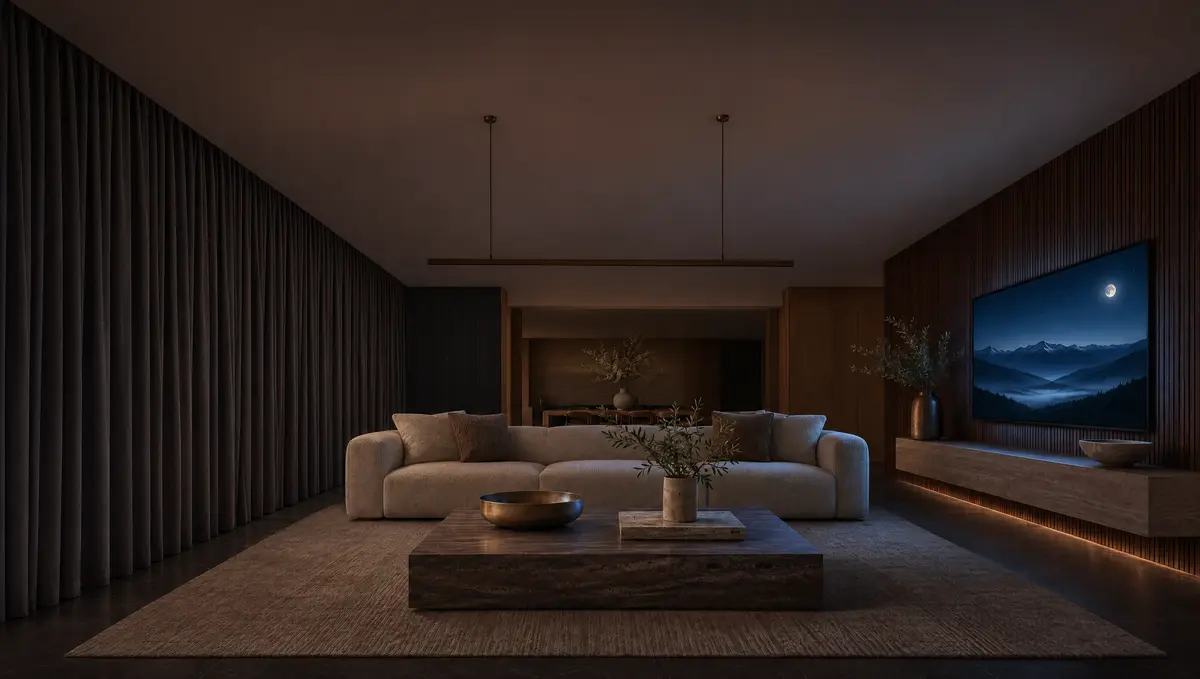
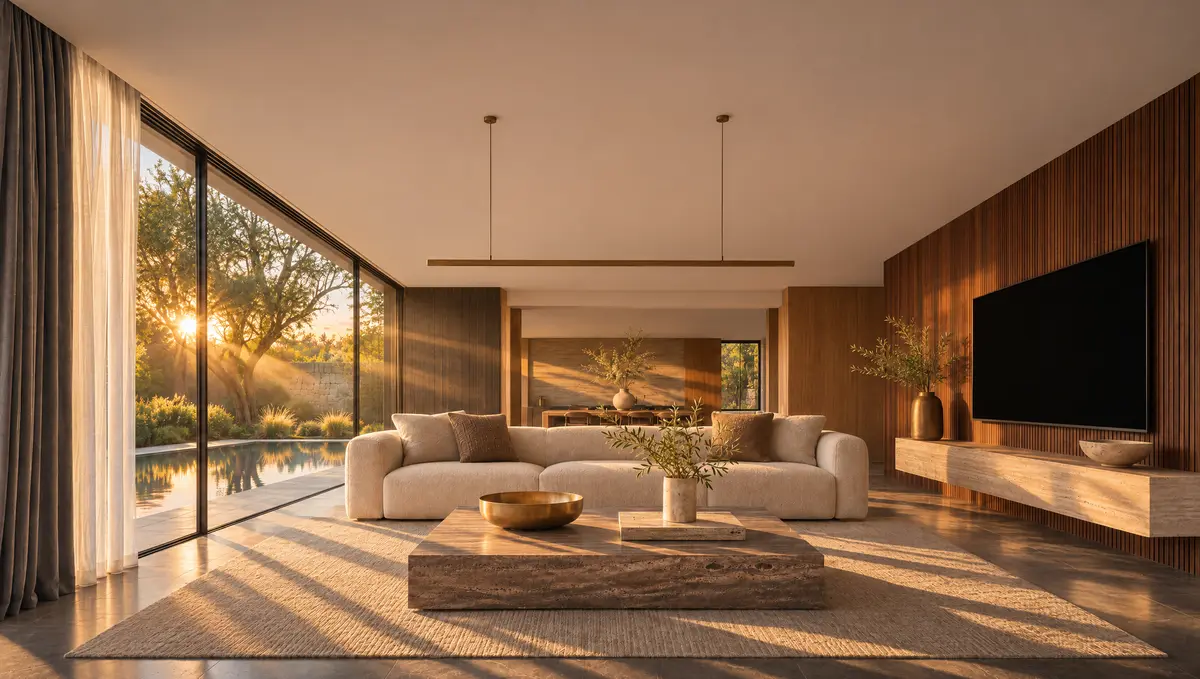
Each press steps to the next scene in the list. After the last scene, the cycle starts over at the first.
Press it and watch the scenes change.
Each scene sets lights, curtains and AC together. This works like the real wall button: each press moves one step forward, and the room view below follows along.
Loop: After Night, the next press returns to Welcome.
After 45 seconds without a press, the next press starts again from scene 1.
See what the room does.
Each press changes the lights, curtains and AC in this living room. Press the button on the wall, or the one below.
See it answer in a real home.
Tell us about your project and we will show you the engine on a hub, with the templates that fit it.